
Sai Computer Use Agent
Founding design for an AI coworker that operates real computers of its own.
Overview
01/08Sai works on computers of its own. Real applications, real logins, several tasks running at once while you are elsewhere. The design problem had no established patterns. When software does the work, the interface's job flips from helping you act to helping you watch, trust, and step in.
A teardown, then zero to shipped. Simular had a Mac app that took over your cursor when I arrived, and I started with a teardown of it. The company changed direction, and I designed the product that came out of it.
I designed it by building it. A working prototype of the entire experience, signup through daily use, choreographed to feel real with no backend.
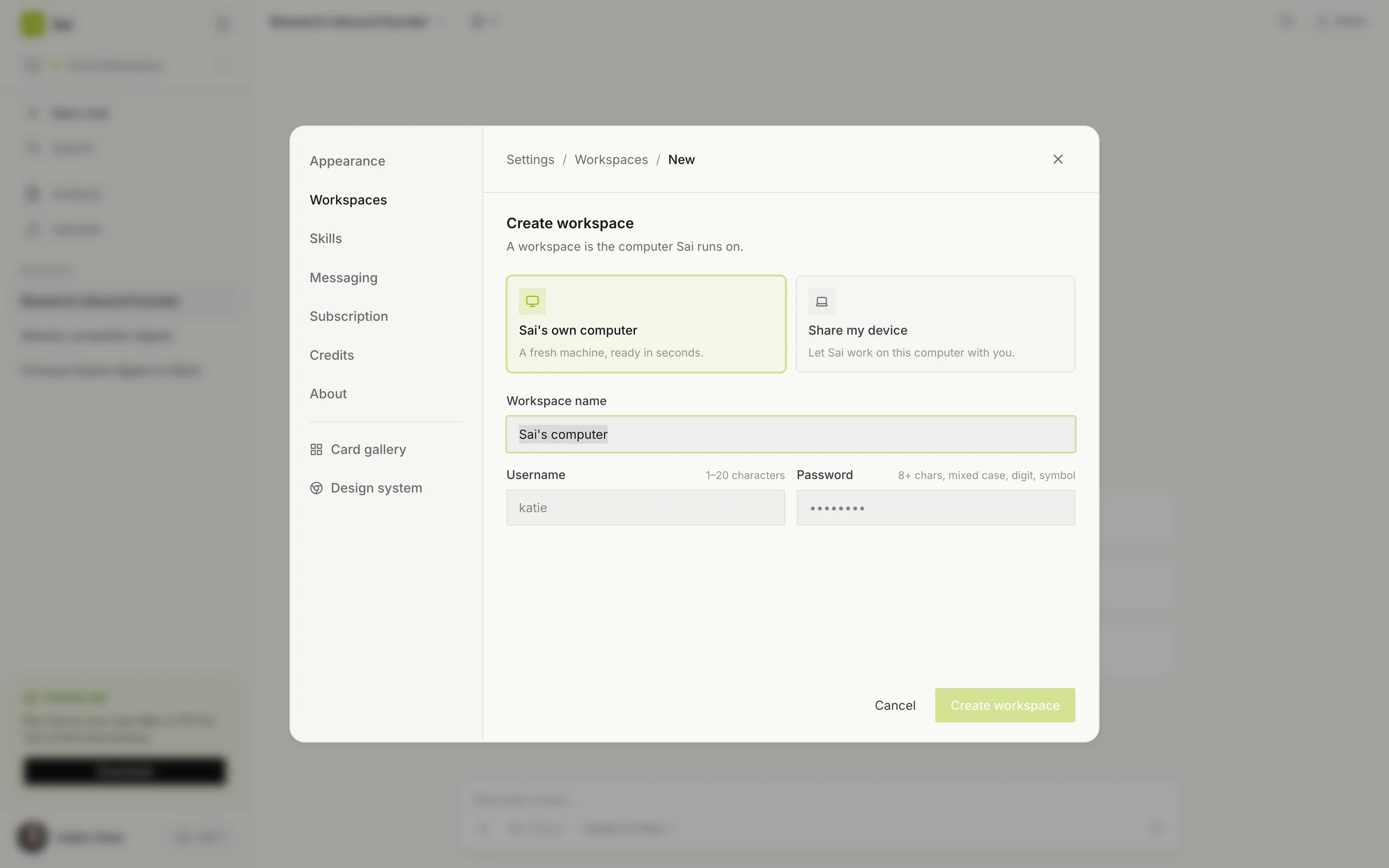
Sai gets its own computers
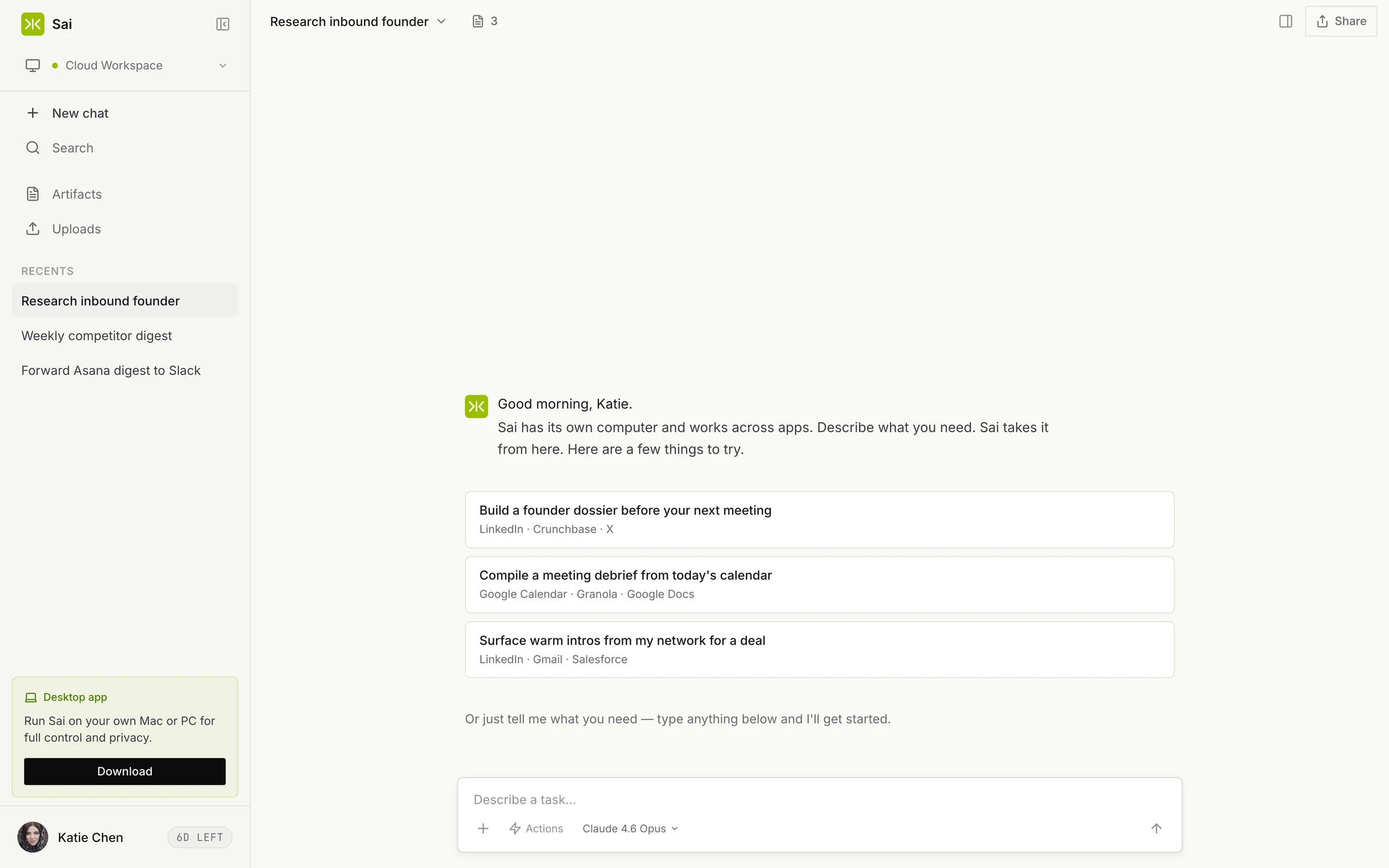
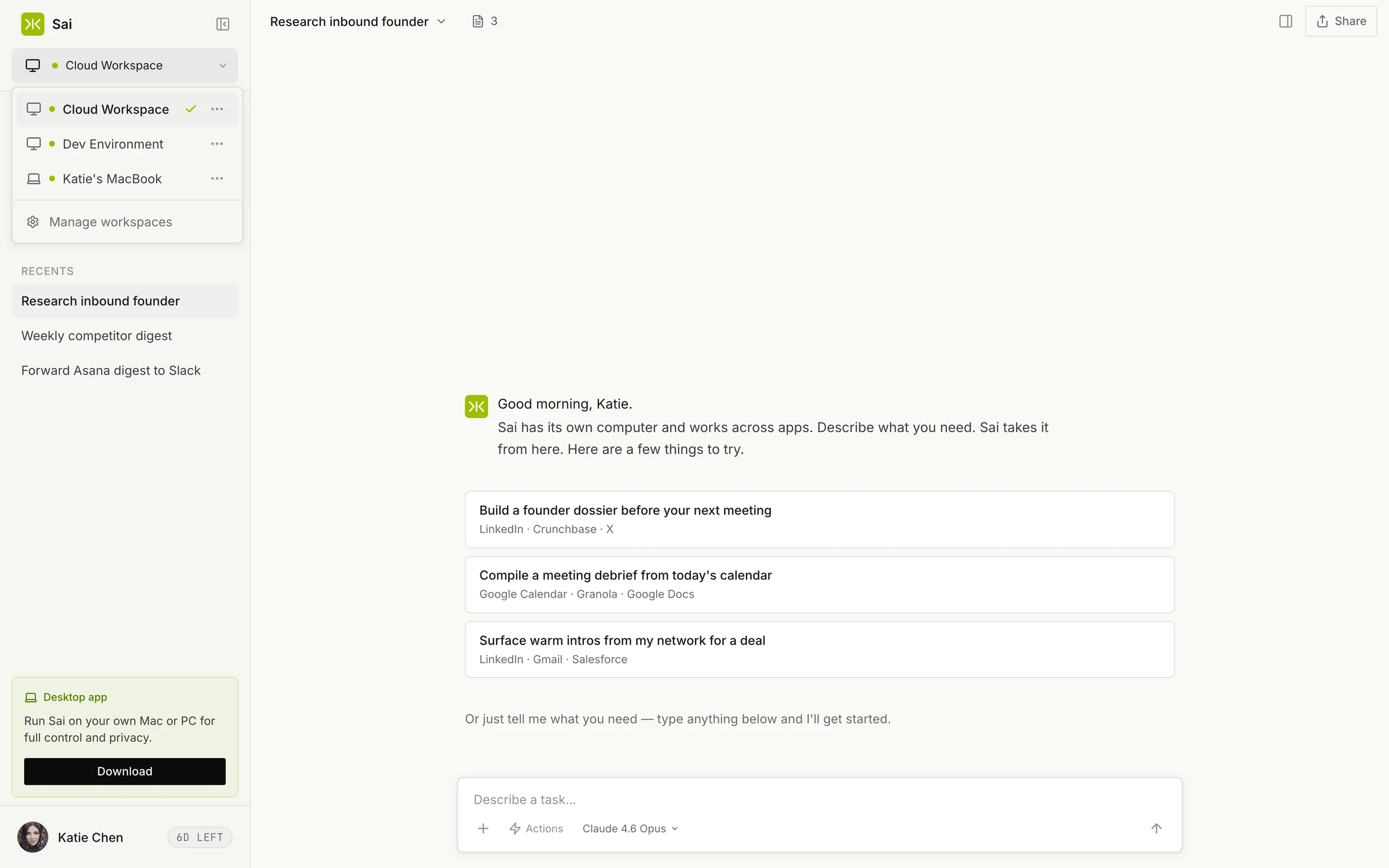
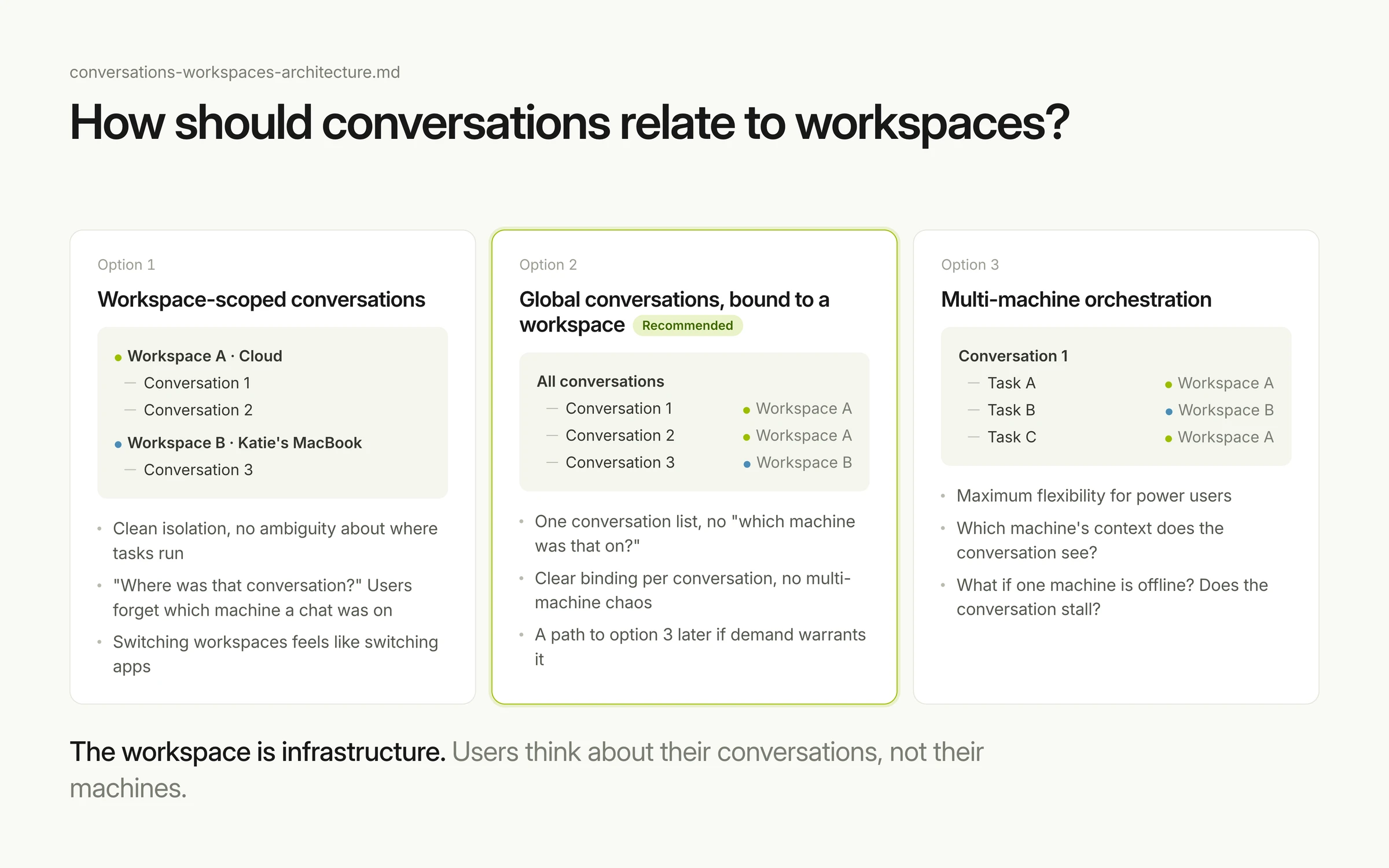
02/08Setup provisions a real machine with real applications, and Sai can hold more than one. A cloud workspace, a dev environment, your own laptop. The first screen is a short menu of things worth trying, each starter task badged with the accounts it needs. Nobody gets ambushed by a login.
Watching the work
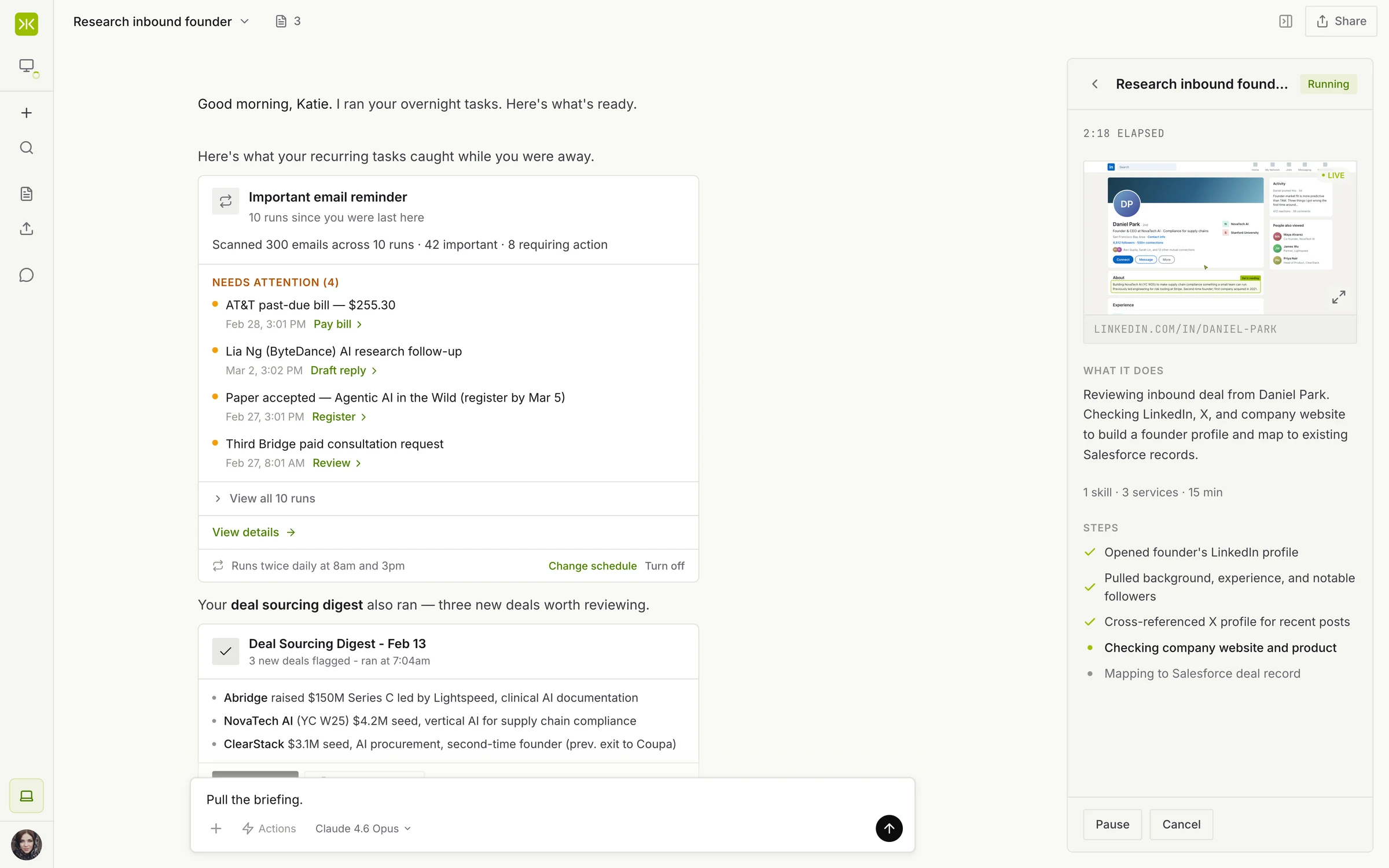
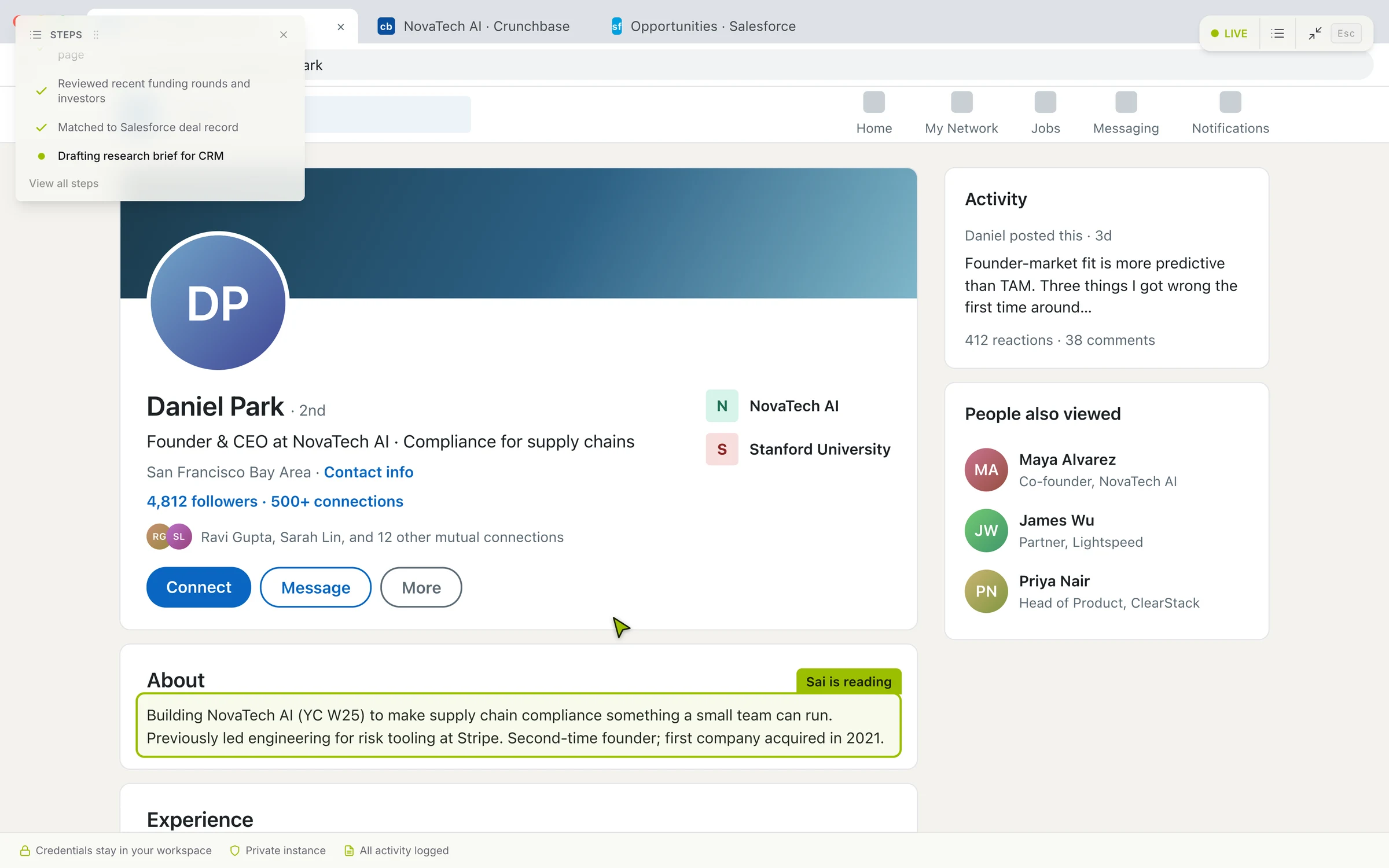
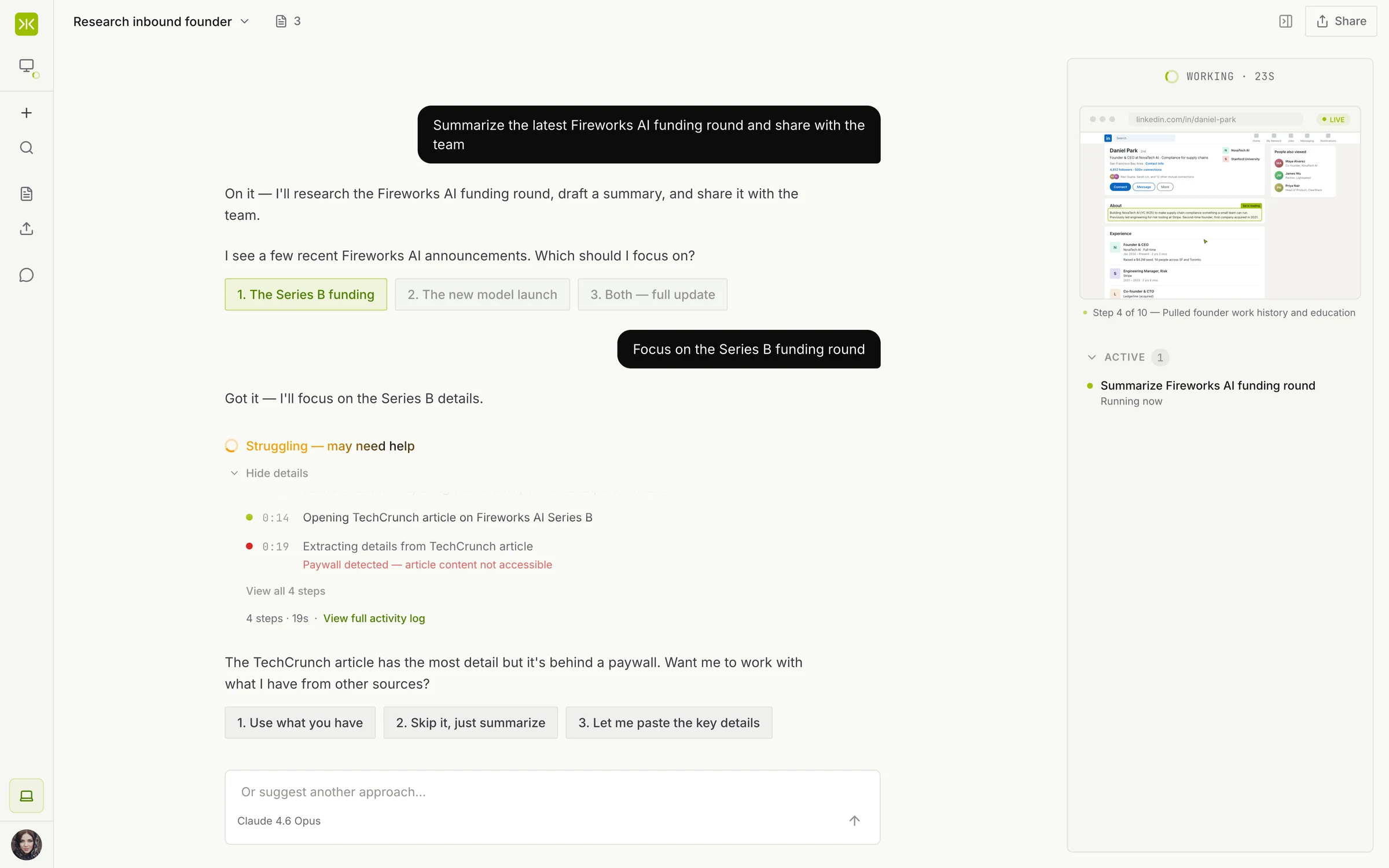
03/08When Sai is driving, the interface has one job. Show the work in a way a person can follow. A live view of the machine, elapsed time, and a step-by-step log written in plain language. Several tasks run at once, so the rail tracks all of them, active and queued and finished today. Full screen when you want to watch, picture in picture when you don't, and a status you can read from across the room.
Trust, spelled out
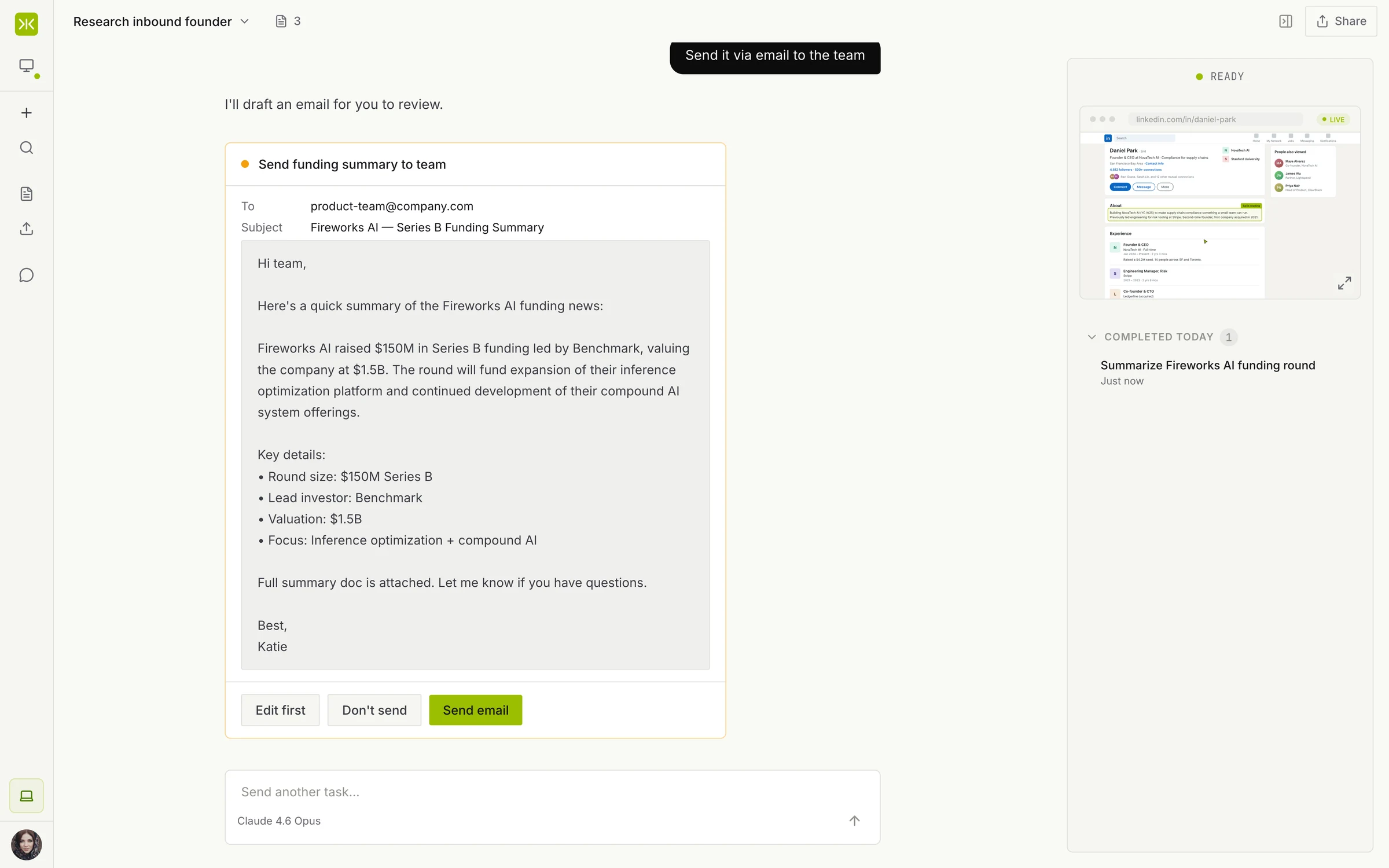
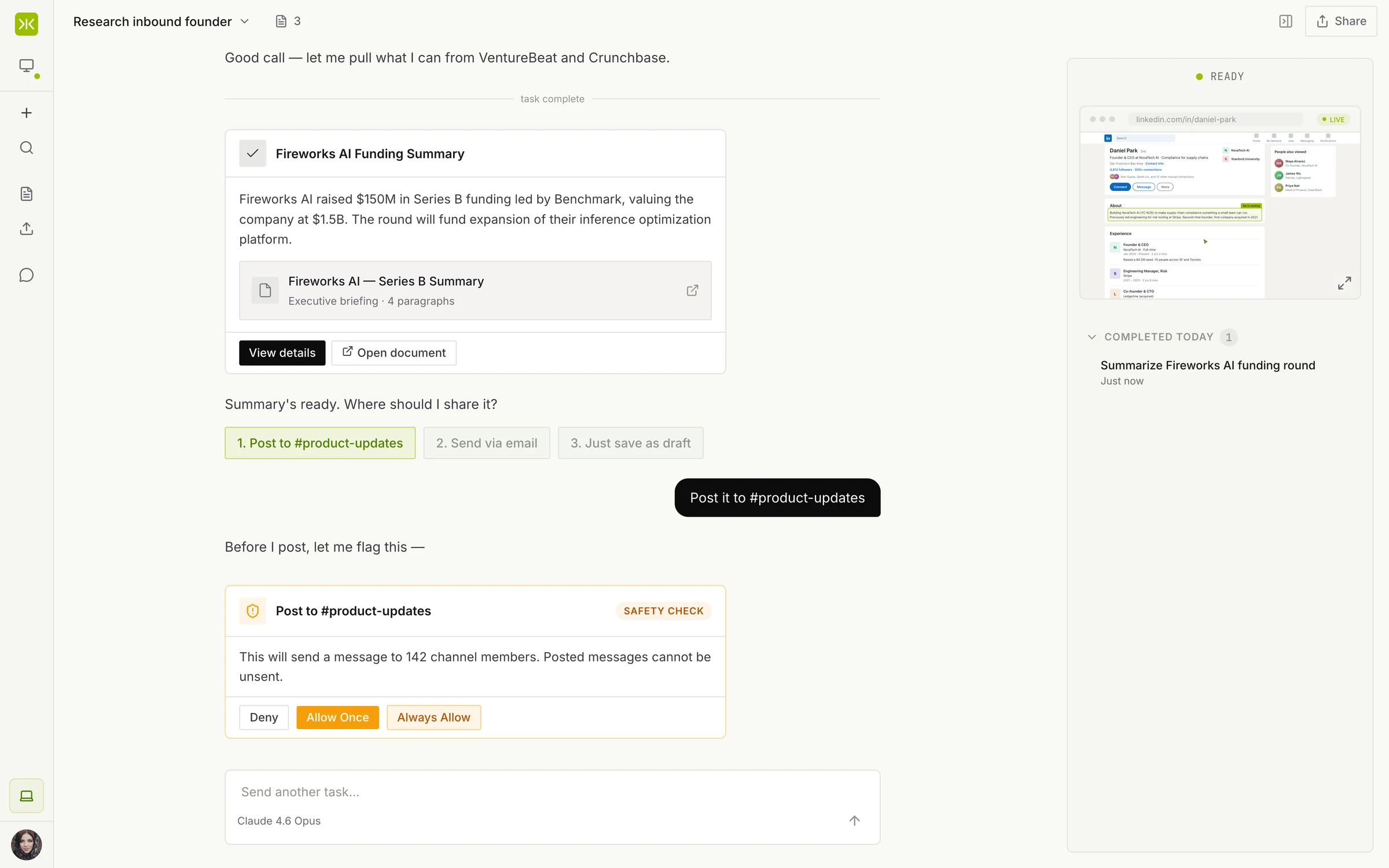
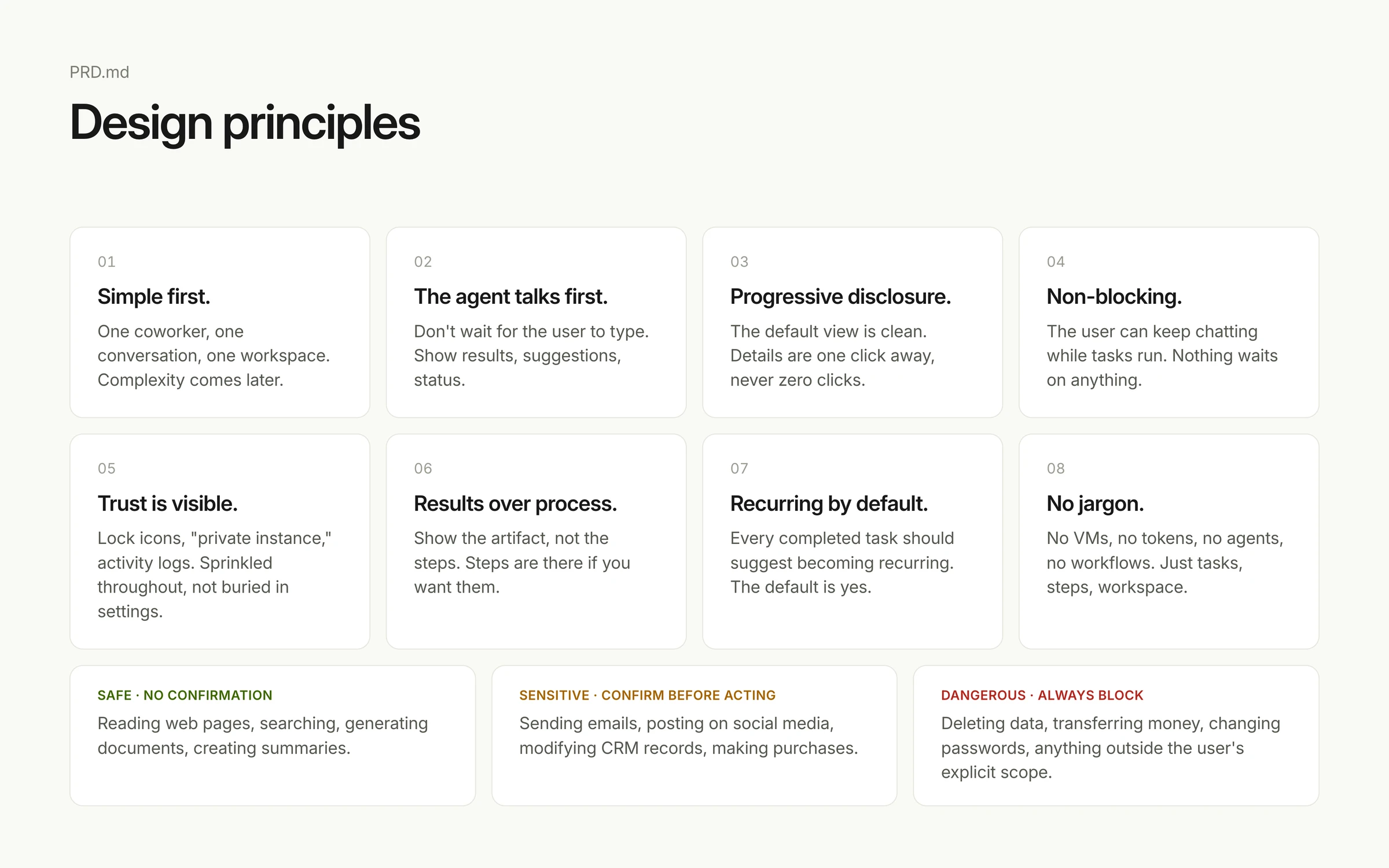
04/08Permission is a spectrum, and the product enforces it. Safe actions run without asking, sensitive ones confirm first, dangerous ones always stop. When it does ask, it renders the real thing. Approving an email shows the actual draft and the actual send button, never a generic yes or no.
Stepping in
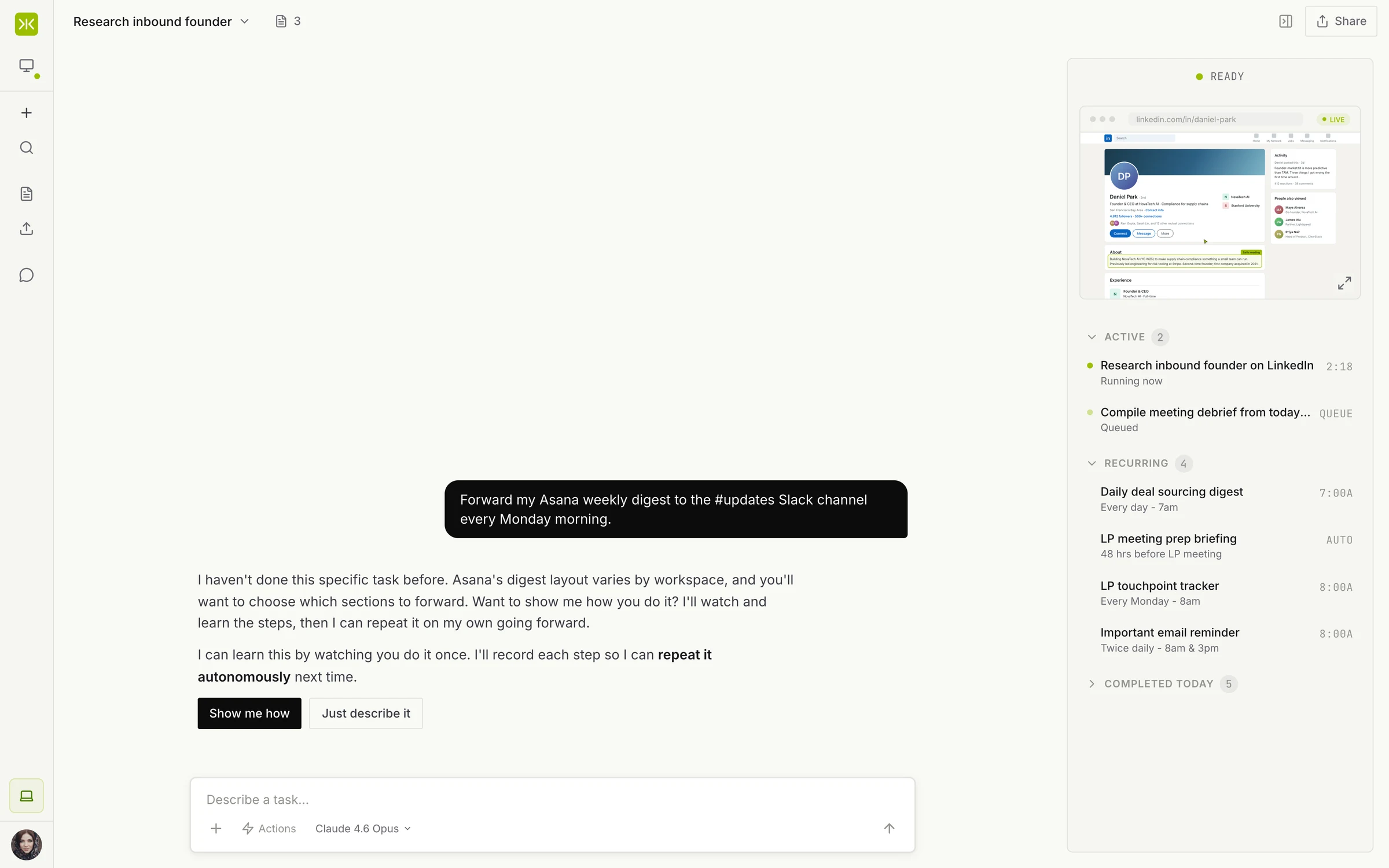
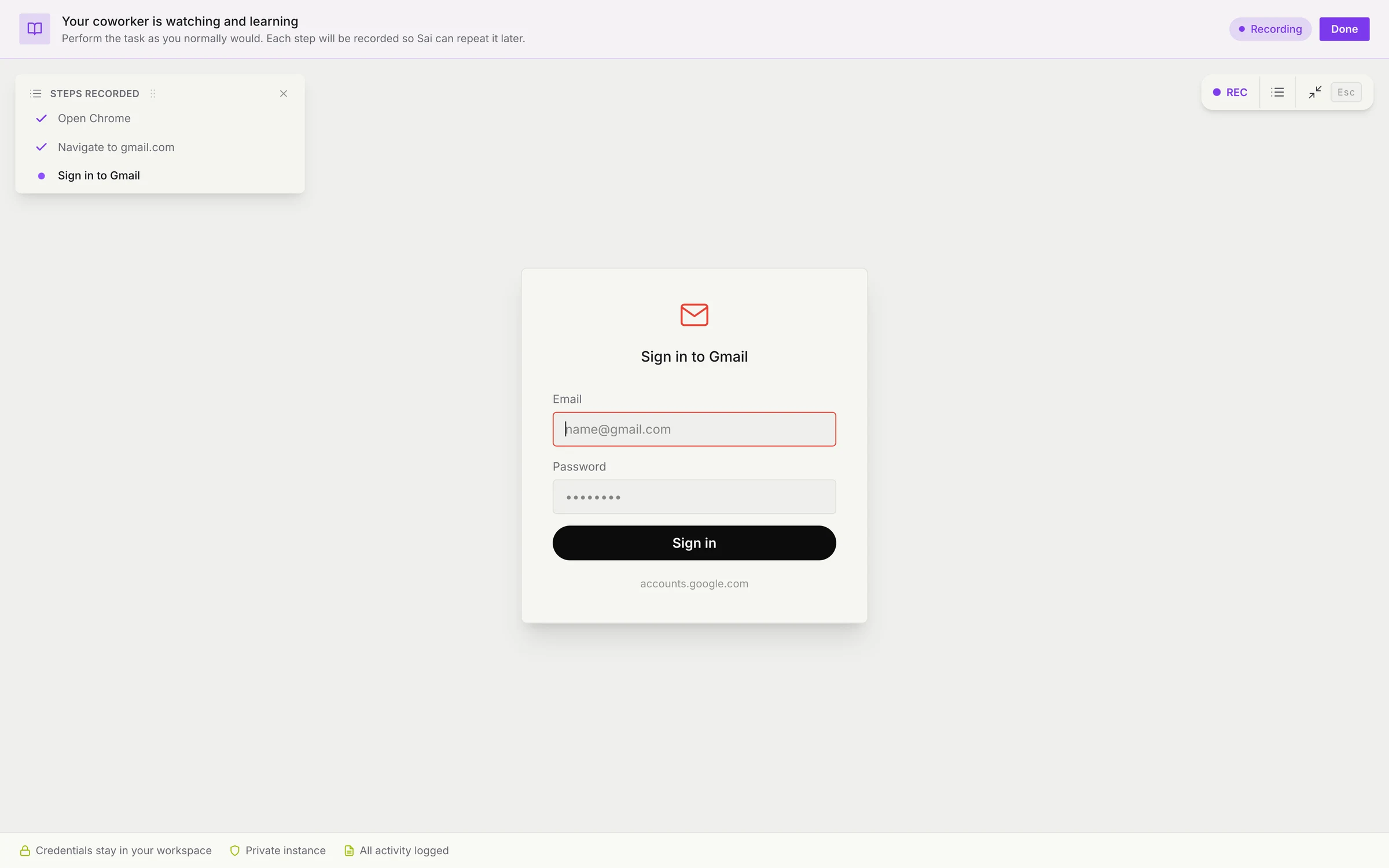
05/08Some moments need a person. A two-factor code, a CAPTCHA, a task the agent has never seen. Each one is a designed handoff rather than a failure state. The richest is teach mode. Sai asks you to demonstrate, records your screen while a step log builds, and summarizes what it learned. A taught task is just a task afterward, with no badge and no workflow concept anywhere in the product.
Living with it
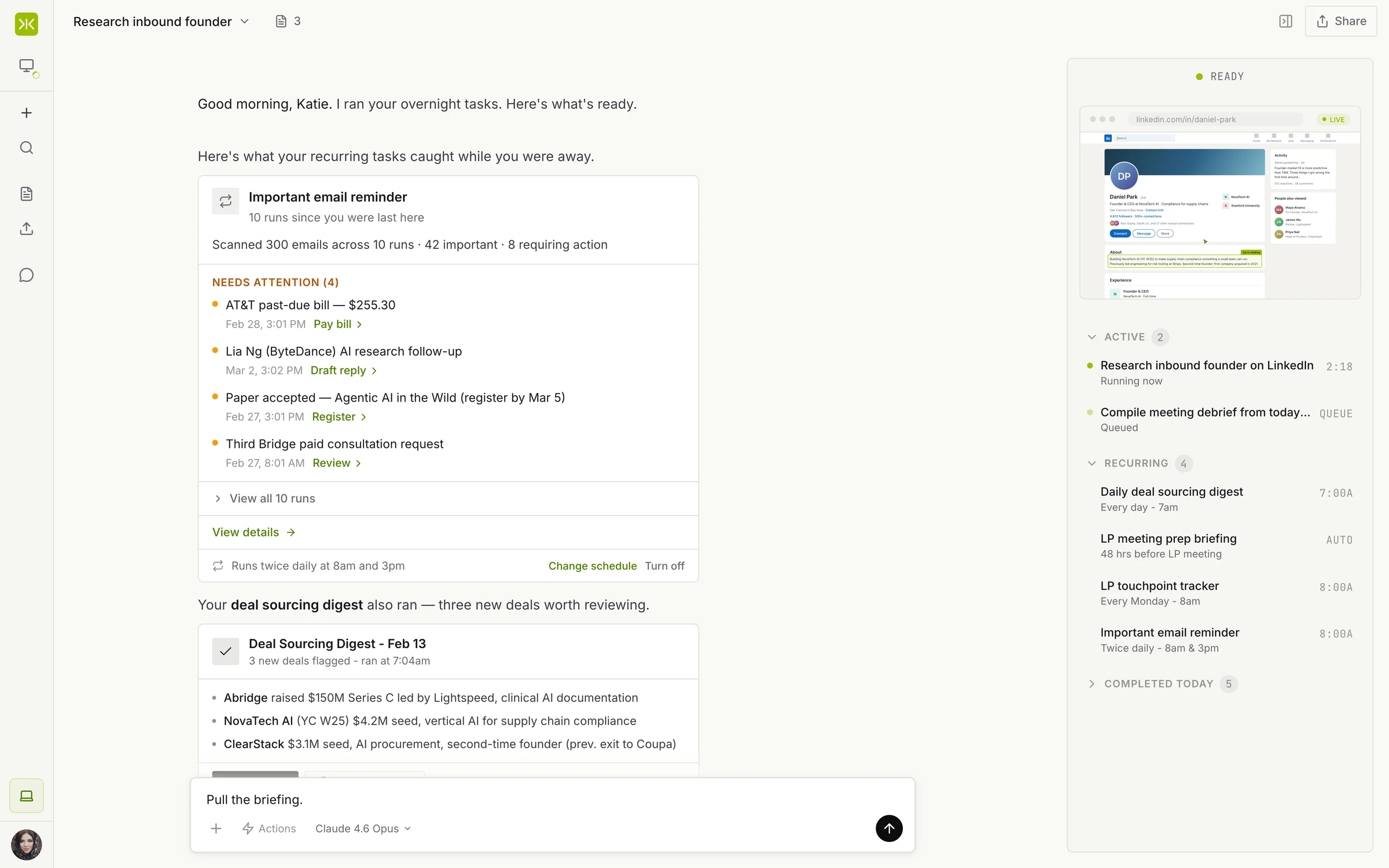
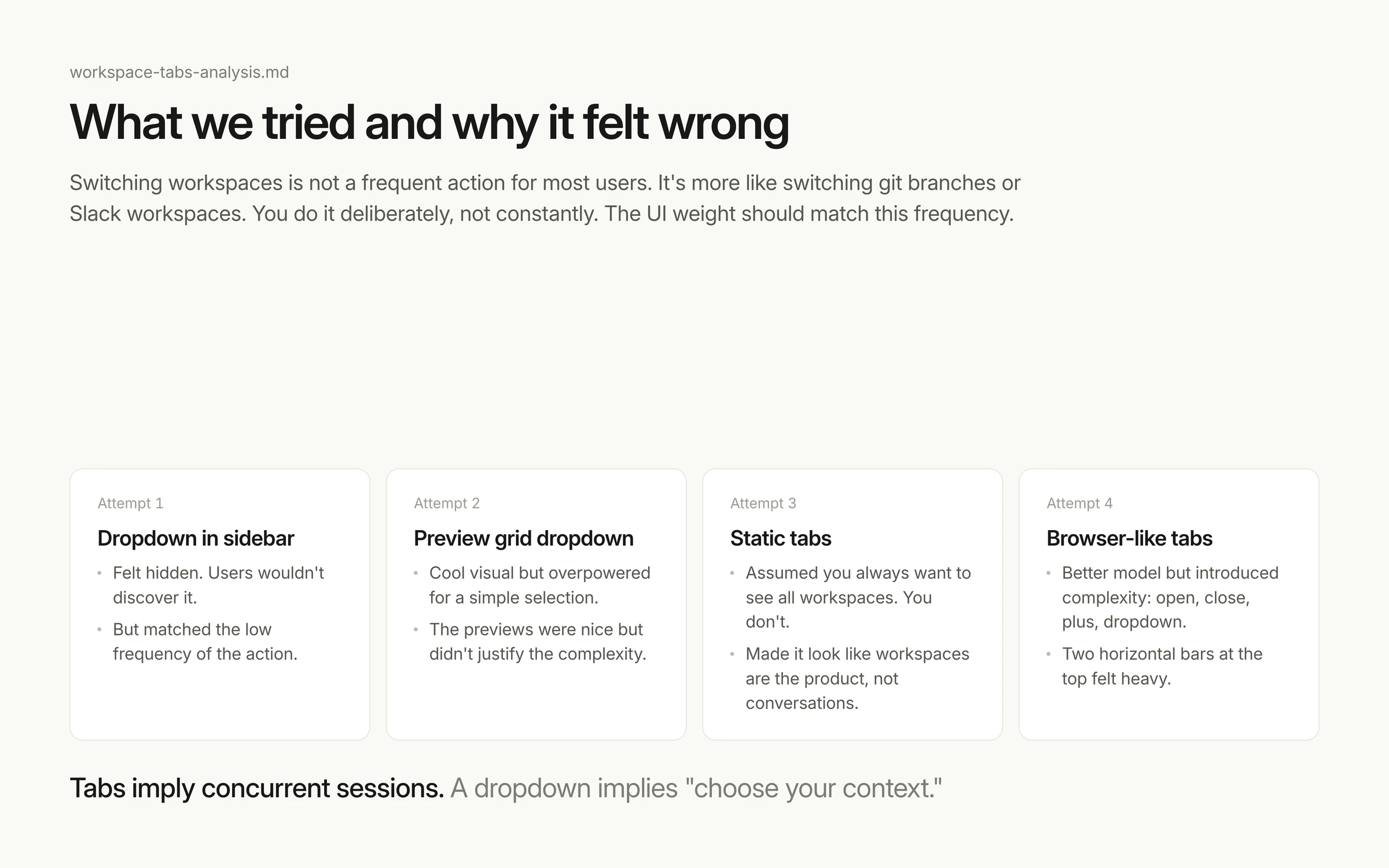
06/08The payoff is the morning after. Recurring work runs overnight and waits for you, summarized rather than dumped. The shell holds the rest, including a selector that has to make several machines feel like one product. It went through two full tab implementations before a dropdown replaced them at half the code.
The system
07/08Every message Sai sends is one of nineteen card types, documented in a gallery inside the prototype itself. One rule for the whole build. Reuse a card or propose a new one here first.
Outcome
08/08-
The product shipped running these patterns. Approval cards, step-by-step activity logs, the task list, and the workspace model down to bring-your-own-device.
-
The prototype did the job a spec never does. It made the product arguable, demoable, and buildable before a backend existed.
-
Cheap enough to build a wrong direction twice and throw it away.
-
Twelve weeks end to end, 125 commits, deployed from day one.