

GoPro Hero 11 Black Mini
Crafting a full-featured camera experience on a screen the size of a postage stamp.
GoPro needed to launch the Hero 11 Black Mini, a new camera that stripped away the touchscreen to achieve a smaller, more durable form factor. The core challenge was to design a full-featured, intuitive user experience on a tiny, 8-bit, 72x32px screen, controlled by only two hardware buttons.
As the Lead UX Designer, I was responsible for the entire hardware and software user experience, from the on-device firmware UI to its connection with the mobile app.
Zero to shipped. The camera did not exist in this form. No touchscreen, two buttons, and 72×32 pixels to hold the entire experience.
"Kevin exhibits a profound sense of aesthetics and interaction practices, which are deftly employed in all of his product development initiatives, imparting mass appeal to the overall user experience. With a discerning eye for detail and commitment to excellence, Kevin consistently pushes the limits of product development, while simultaneously driving the process forward, unearthing numerous avenues for enhancing team dynamics and business efficacy. In short, Kevin is a valuable asset to the world of product development, and his contributions to GoPro and the field of UX are elevated having worked with him."
 Senior Principal Designer, Cameras & Hardware, GoPro
 The camera
The smallest and most durable camera in the line at the time. No touchscreen means no glass to break and no seams to leak, which is the whole point of it. It also means every setting, every mode and every error has to arrive through two buttons and a strip of pixels.
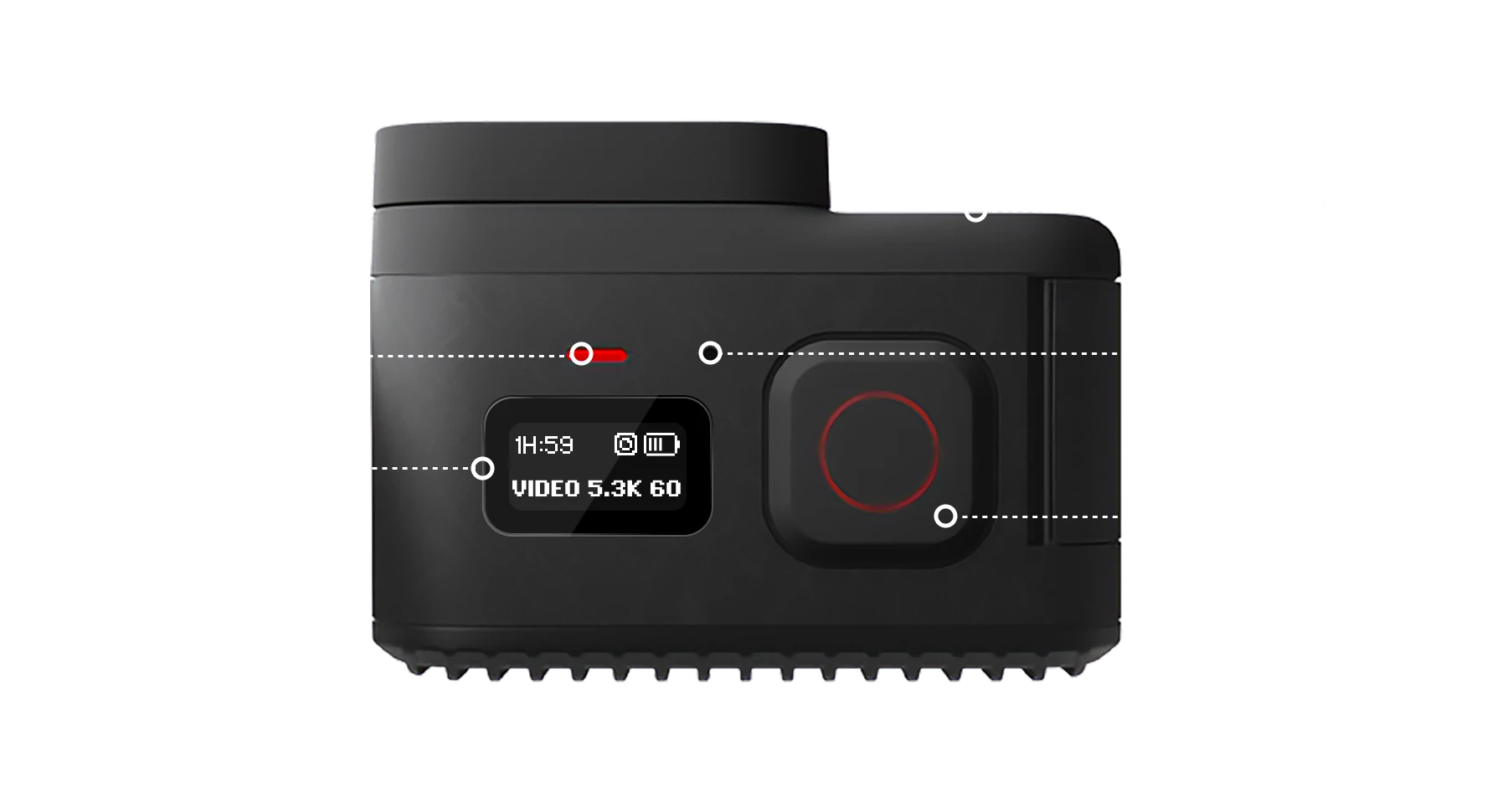
The screen system
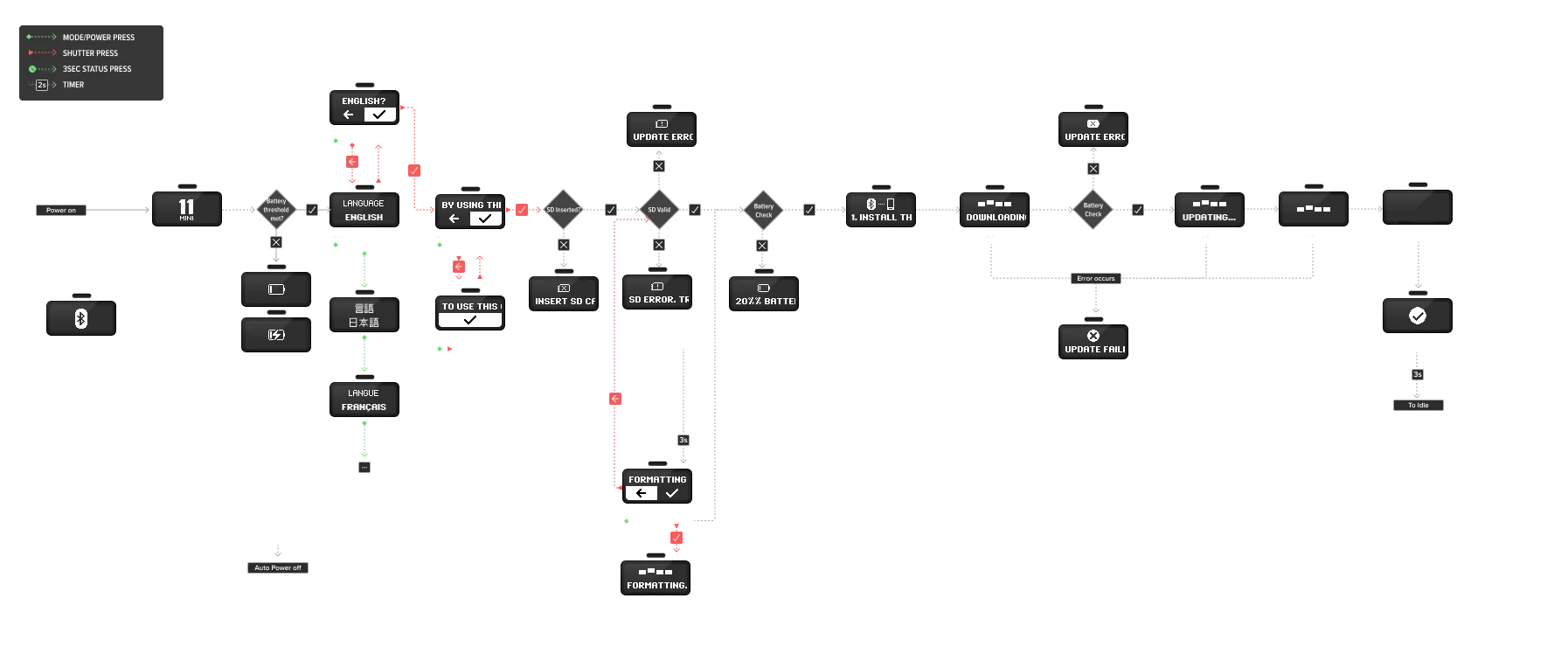
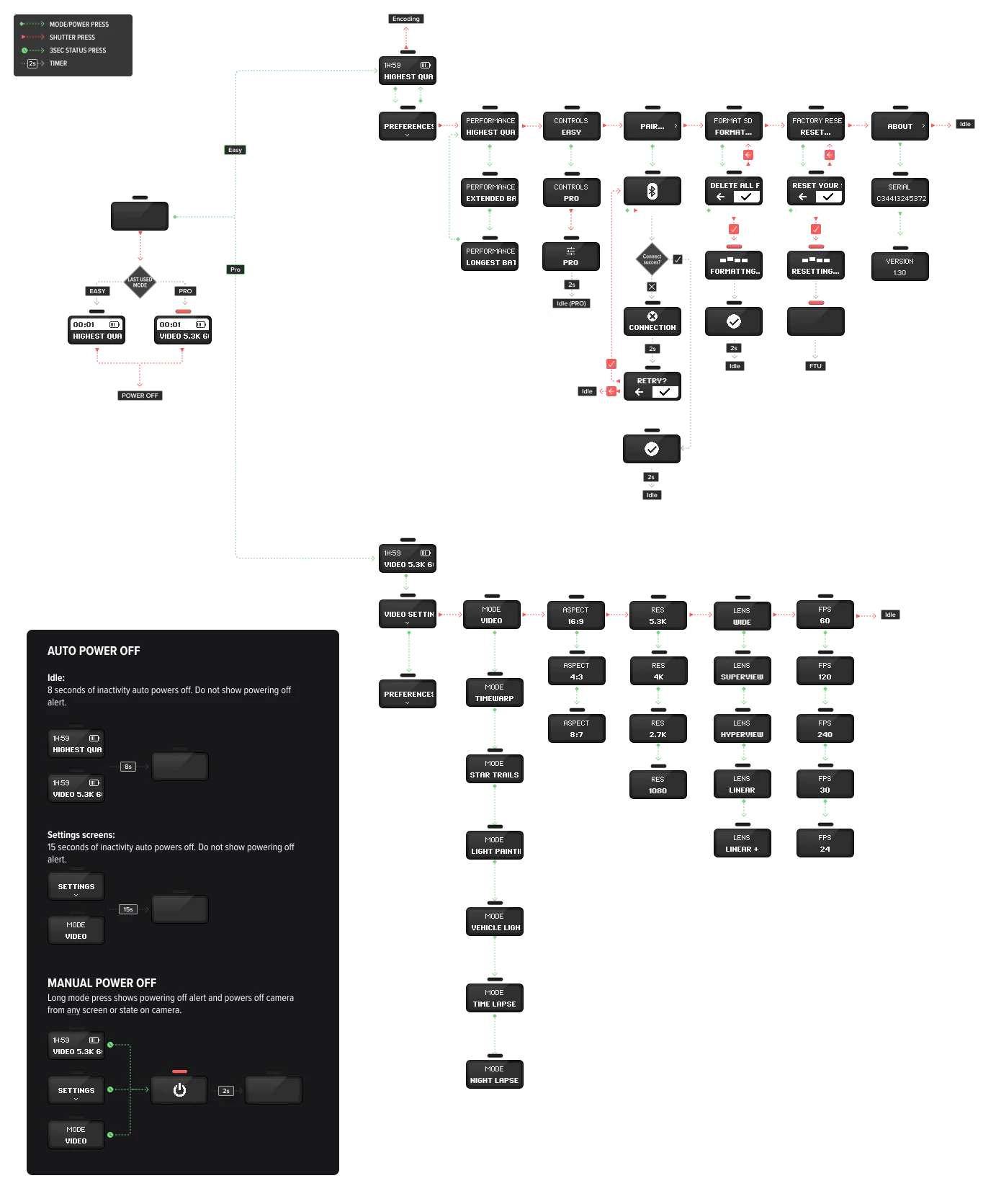
A design system for a screen 72 pixels wide. Objects and states with rules for each: label and value pairs, confirmations, progress, errors. All of it had to read at a glance, in gloves, in bad light.
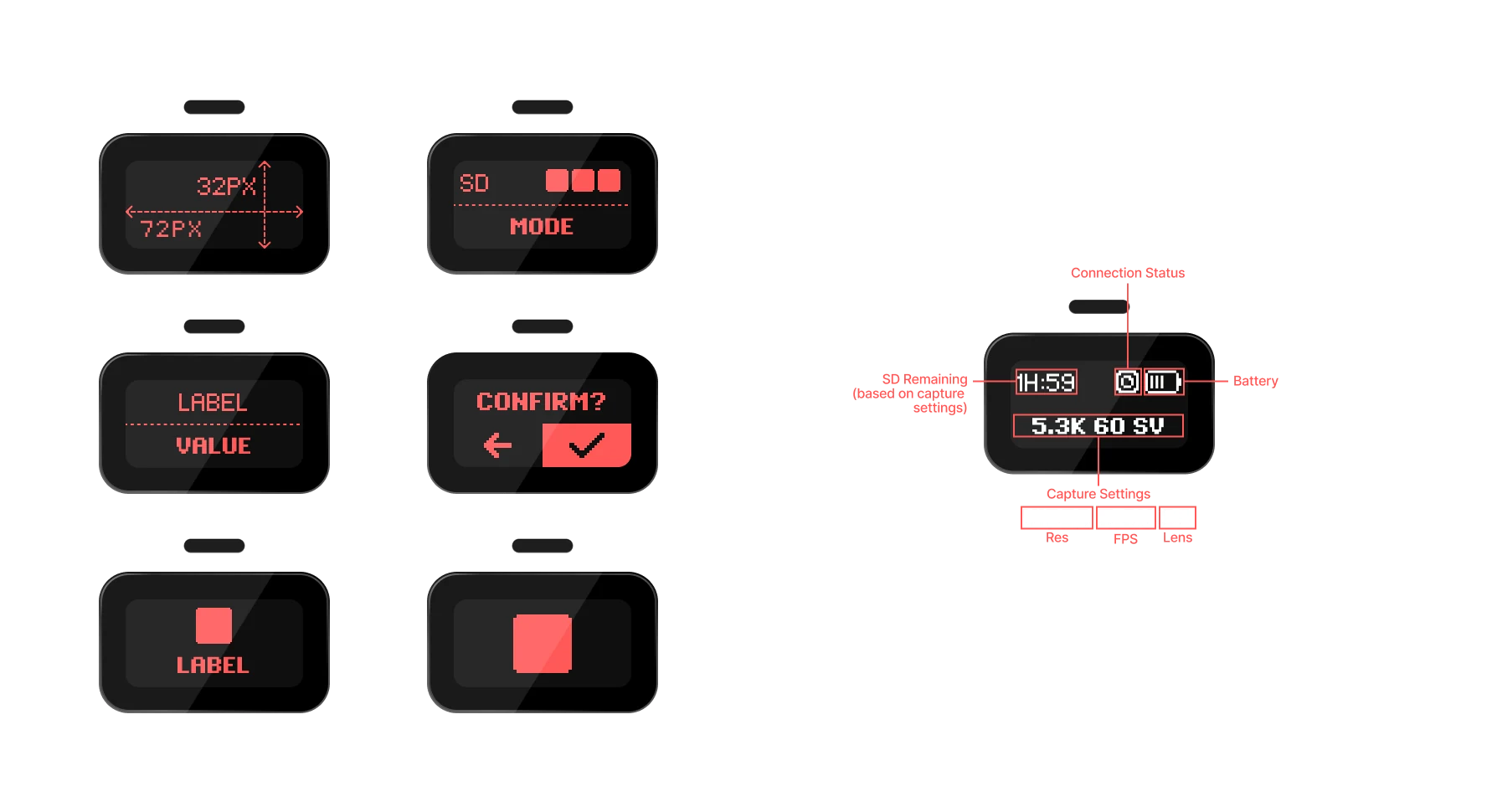
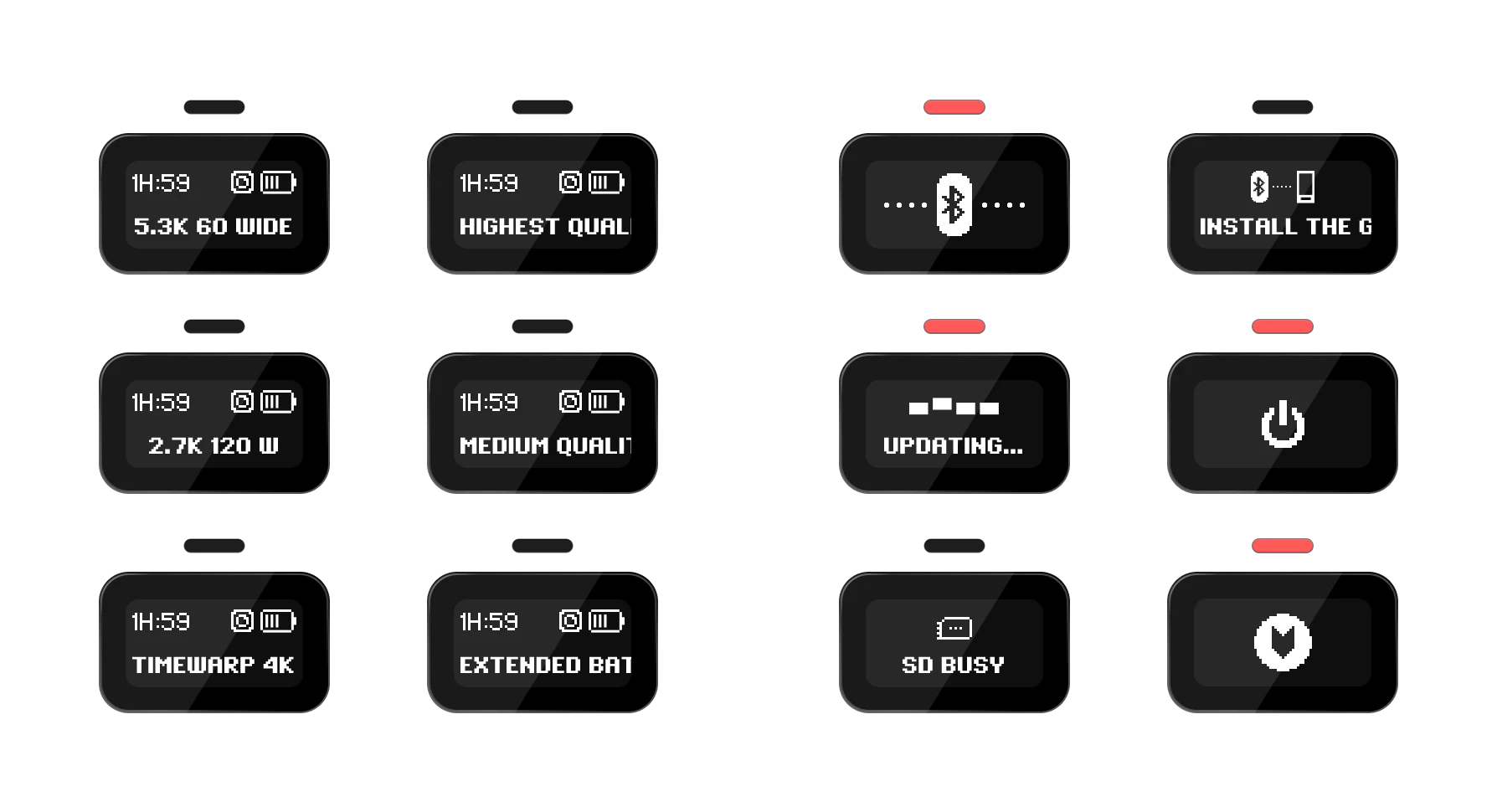
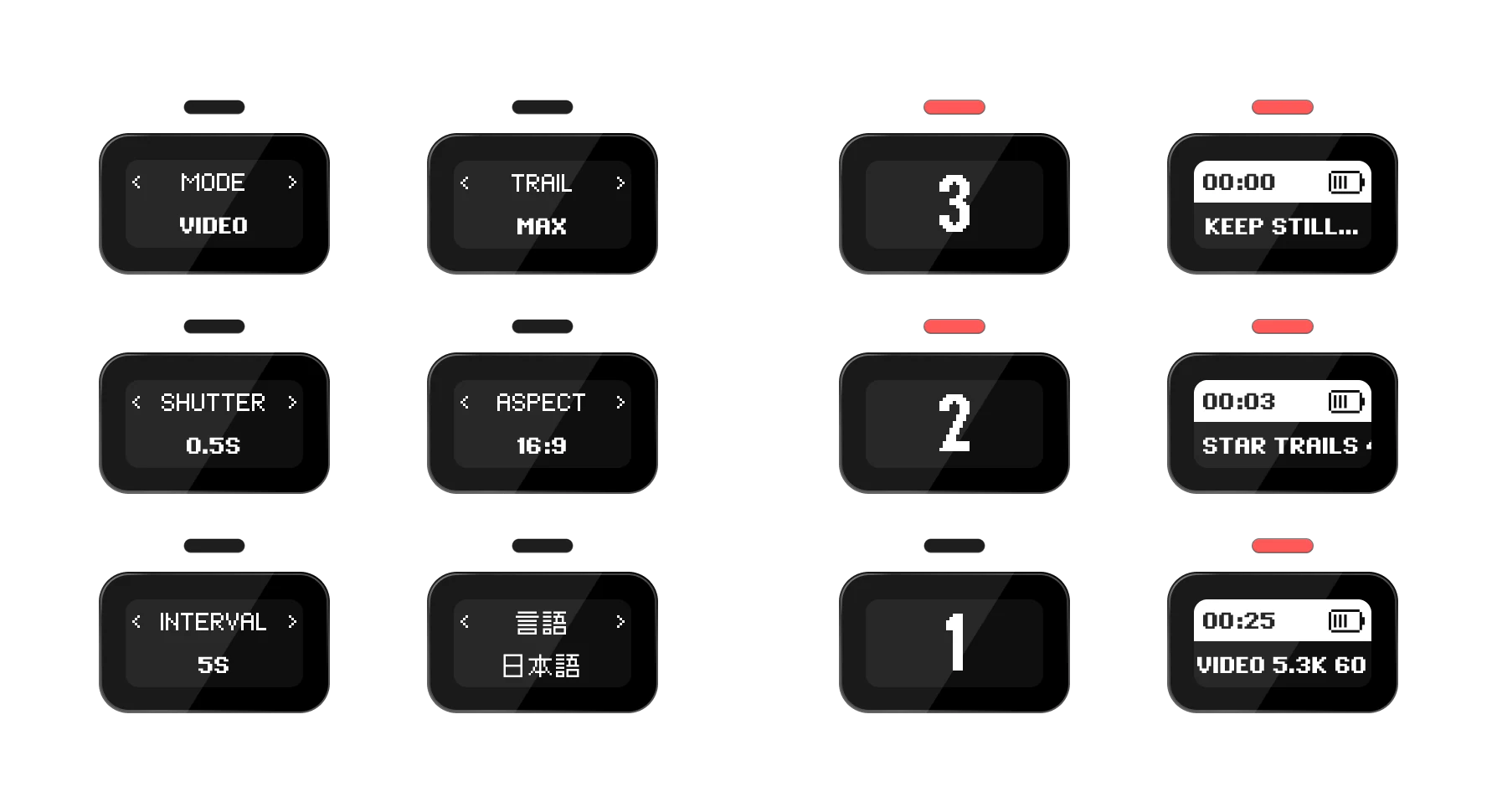
Two example flows, drawn the same way
Motion
The screen cannot tween, so every animation is a sequence of bitmaps drawn frame by frame. I built all of them. Loading, pairing, updating, powering down, each one hand-placed pixels on a timing that makes the camera feel like it is answering you.
The icon set
Every icon drawn pixel by pixel. I also owned the bitmap fonts, finding and testing a face that stayed legible across all eleven languages the camera shipped in. The Hangul one came off Korean video game forums, which is where the people who care about pixel-perfect Korean type turn out to be.
LED and audio feedback
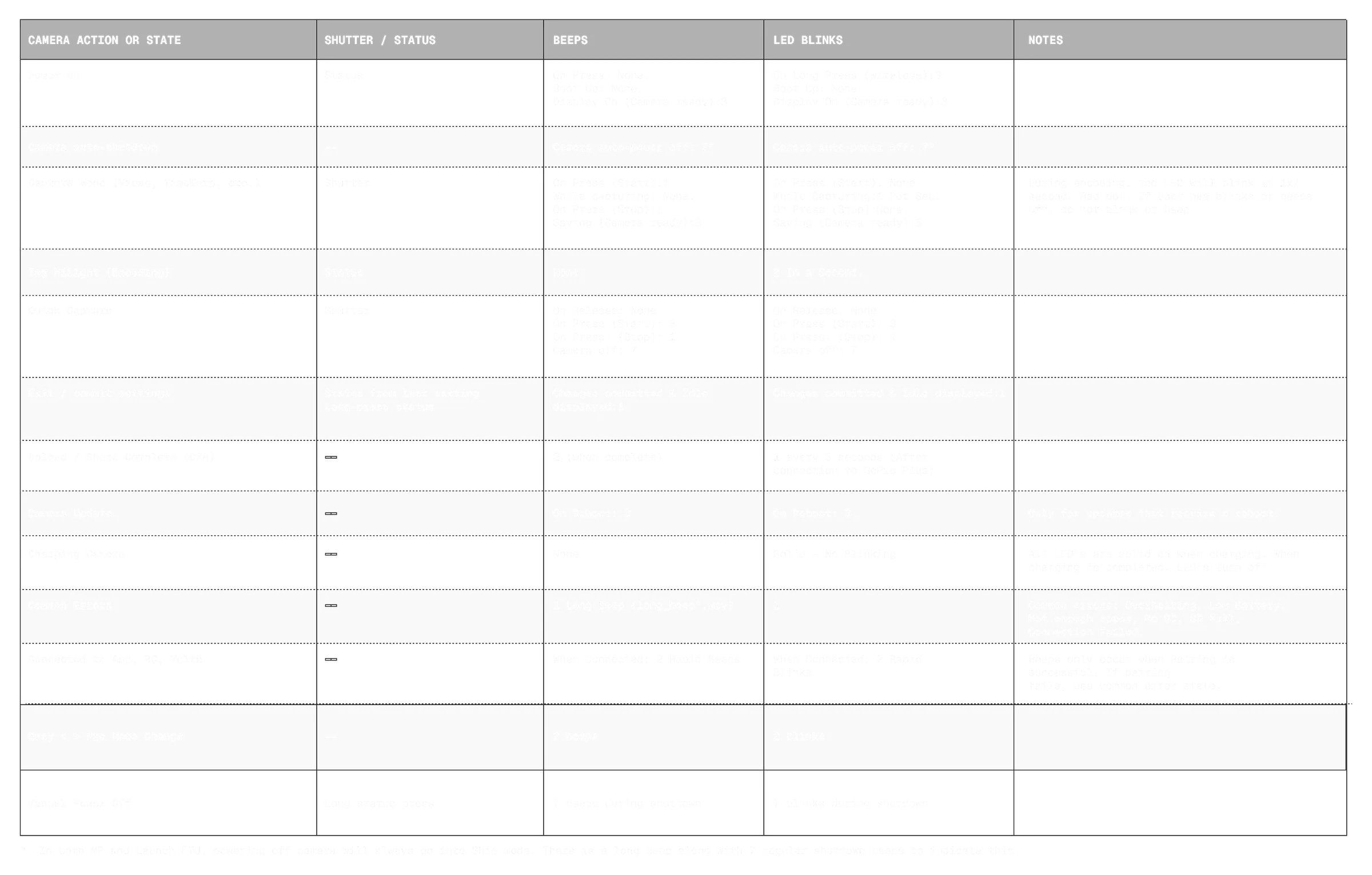
With two buttons and no touchscreen, the camera answers in light and sound. Every function in the firmware maps to a hardware response: each button press and each mode paired with a status light pattern and a beep, down to the failure states. This table was the spec the firmware was built against.
Outcome
-
Successfully launched a new flagship hardware product for a global, market-leading brand.
-
Created an intuitive and critically praised user experience that delivered the full power of a GoPro despite extreme hardware constraints.
-
Validated a new, more compact, and durable form factor for the GoPro camera ecosystem.